 PatrolScan
 · Patrol management for iPhone
Plan your patrols.Confirm each checkpoint.
Set recurring schedules, confirm checkpoints on site with NFC, and review what was completed. PatrolScan brings planning, daily operations and reporting together on your iPhone.
No user account required. Operational data stays on your iPhone.

A clear record of recurring work
From the planned route to the completed round.
Recurring patrols need a schedule, a clear next task and a record of what happened at each checkpoint. PatrolScan connects these steps so that individual confirmations can be reviewed in the context of the planned work.
Plan the work
Bring checkpoints, instructions and recurring time windows into a defined route.
Guide the day
Show staff what is available now and keep active, completed and missed patrols in view.
Review the result
Use service-level views and structured Excel reports to follow up on completion and deviations.
How it works
Set up once. Follow a clear sequence each day.
Define checkpoints and routes
Register compatible NFC tags, add tasks and instructions, and group checkpoints into configurable routes.
Set schedules and service windows
Define recurring work, time tolerances and recovery options. Keep scheduled, late and recovered completion distinguishable.
Confirm checkpoints on site
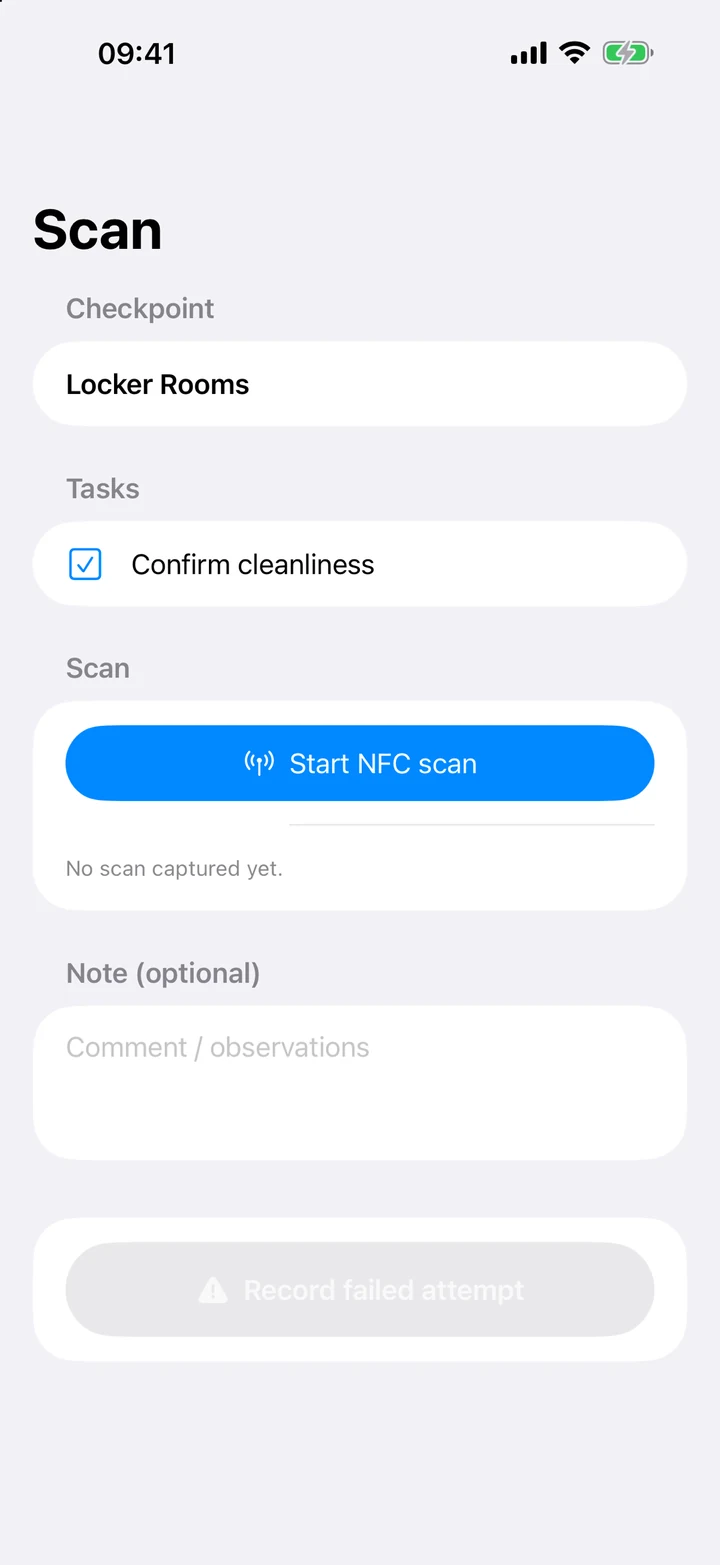
Start the patrol, work through its checkpoints and confirm presence via NFC. Record times, results and observations.
Review and export
Compare checkpoints, routes and periods. Export localized Excel reports for operational follow-up.

Daily operations
Know which patrol comes next.
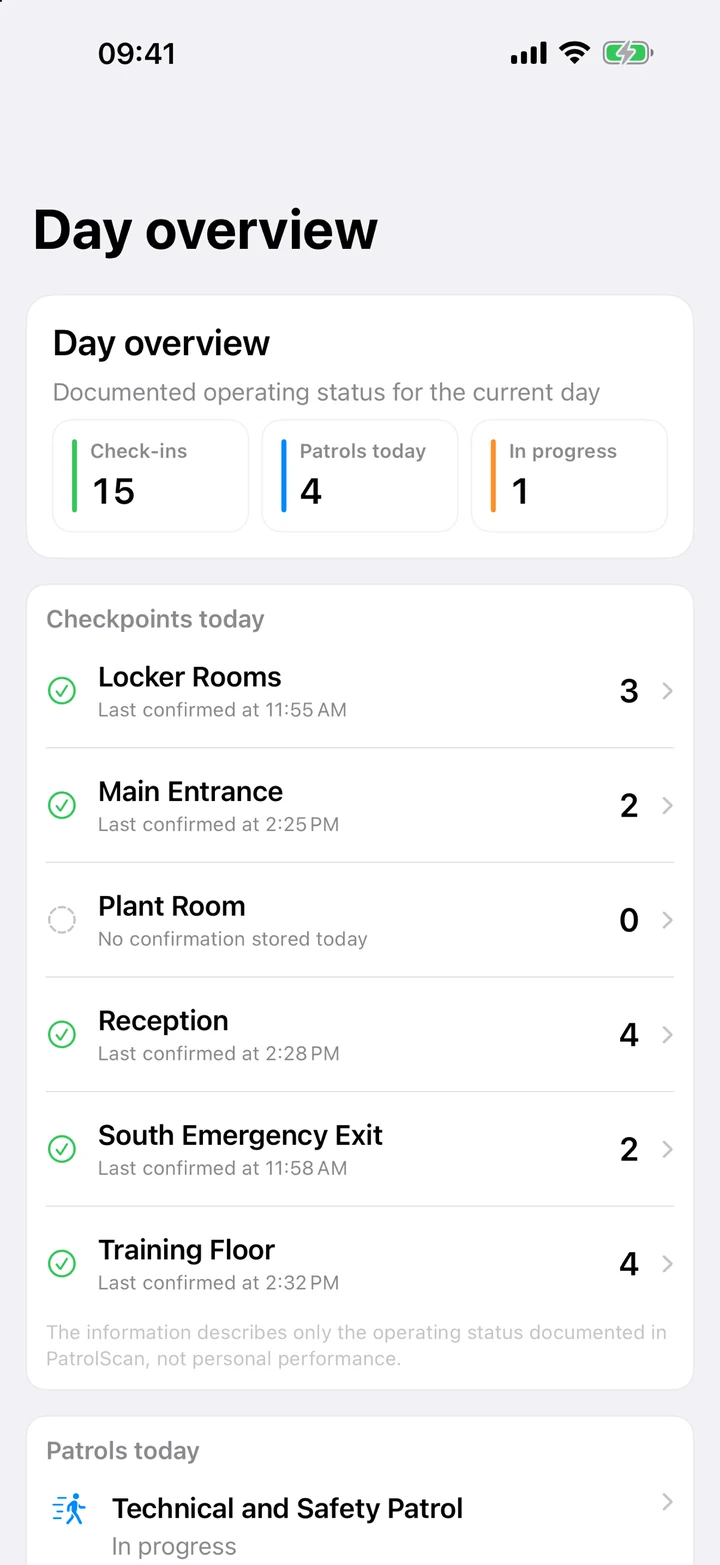
The daily view prioritizes the next executable patrol and puts the rest of the day in chronological order. Upcoming work, active patrols, completed rounds and missed windows remain visible together.
- Start the next available patrol directly.
- Distinguish successful confirmations from incomplete workflows.
- Keep tasks, instructions, comments, times and results attached to the work.
- Keep everyday operation separate from protected administration.
On-site confirmation
The right checkpoint. Confirmed on location.
During setup, each tag is assigned to a checkpoint. During a patrol, staff scan the tag at the required location. The app can distinguish successful confirmations, incomplete workflows and mismatched or unknown tags.

A scan supports operational documentation. It does not by itself establish legal proof or a certified inspection.

Service levels and trends
Read today’s figure in the context of the whole day.
Today’s service level is a live interim result. Its denominator already includes the day’s planned patrols that count towards evaluation. A low figure early in the day is therefore not automatically a negative result: it develops as patrols are completed within their scheduled windows.
Review the relevant period
Explore results by checkpoint and route, with daily, weekly and monthly views to identify trends and deviations.
Keep outcomes distinguishable
Review completed, incomplete, missed and recovered patrols individually rather than treating every recorded round as on-schedule completion.
Keep unscheduled work separate
Unscheduled patrols are reported separately. They do not retroactively improve the metrics for scheduled work.
Excel reports
Take the detail into your own review.
Export structured, localized Excel reports with operational, patrol, checkpoint and service-level data. Review individual events or longer periods, including large historical data sets with many patrols and scans.
From individual events to longer periods
Operational data · Patrols · Checkpoints · Service levels
Use the reports for internal analysis and operational follow-up. An export does not provide a legal or industry certification.
Local data and recovery
Your operational records stay on the device.
No user account is required. Checkpoints, routes, schedules, patrols and confirmations remain in the iPhone’s protected app container during normal operation. PatrolScan does not send this data to a developer-operated backend.
Encrypted backups
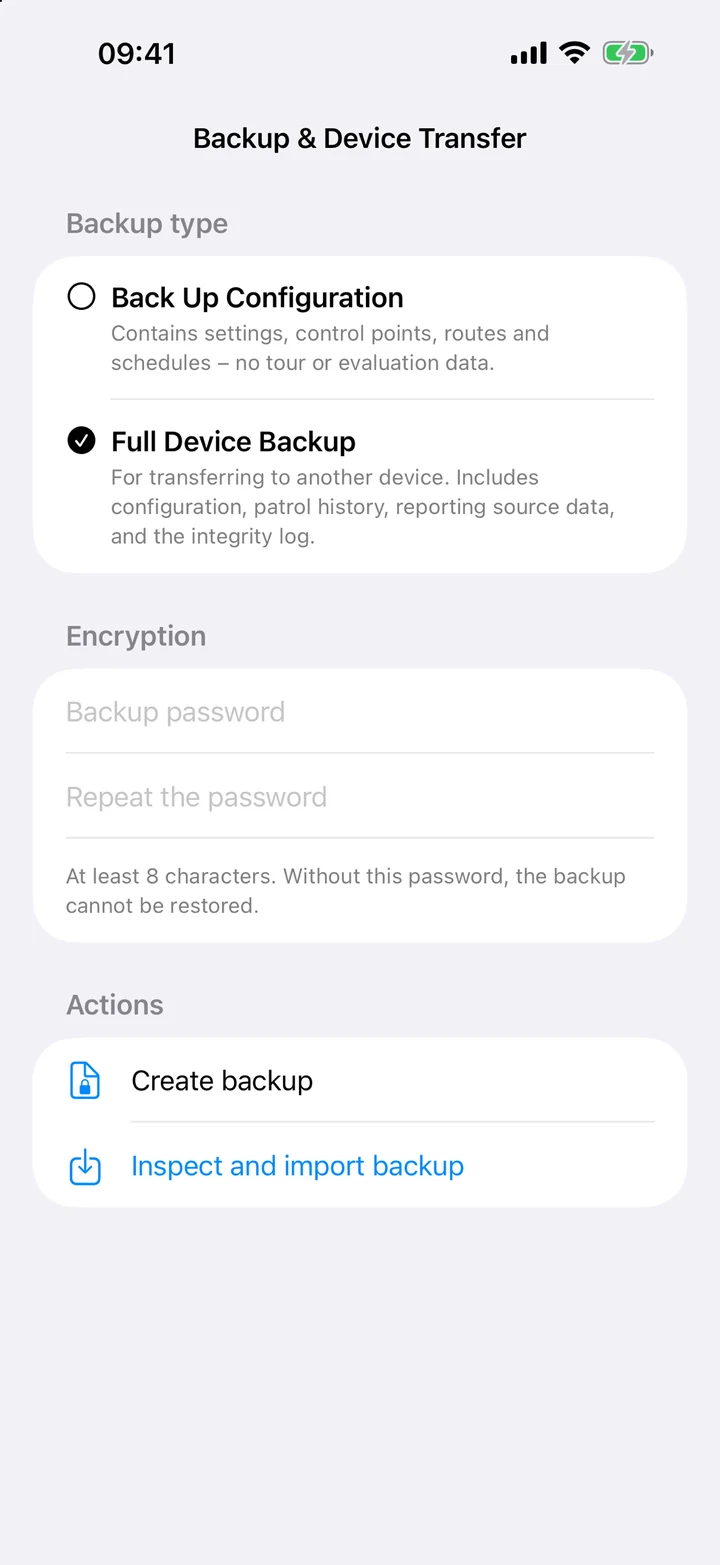
Create, verify and save password-protected encrypted backups for archiving or device changes.
Choose what to restore
Inspect and import a backup, then restore the configuration only or all backed-up app data.
Optional network time verification
Only a technical time request goes to the configured time server. No checkpoint, route or patrol data is included. The server can process the IP address and request time.
An administrator can share exported reports and backups through another app or service. Inclusion in an Apple device backup depends on the device’s settings. Local notifications require your permission.
Possible uses
For recurring checks with defined checkpoints.
- Building and property rounds
- Technical inspection routes
- Recurring service tasks
- Security and closing rounds
- Cleaning and condition checks
- Internal documentation workflows
These are possible use cases, not an industry-specific approval. PatrolScan documents work; it does not replace organizational policies, risk assessments, alarm systems, emergency systems or legally required inspections. The operator remains responsible for the scope of checks and the response to deviations.
Before you start
Practical questions, clear answers.
Are NFC tags included?
No. Purchase standard NTAG213, NTAG215 or NTAG216 tags separately, install them at the checkpoints and register them in the app. NFC availability depends on the iPhone and the tag.
Do I need an account or cloud service?
No user account is required. Operational data stays locally in the app’s protected container. Exporting and sharing a report or backup is an explicit administrator action.
Why can today’s service level be low in the morning?
It is a running interim figure. The denominator already includes the day’s evaluable planned patrols, including work scheduled for later. On-time completions update the result during the day.
Can I move the configuration to another device?
You can create, verify and import a password-protected encrypted backup, then restore only the configuration or all backed-up app data.
Where is the App Store download?
PatrolScan is available on the App Store. Use either App Store button on this page to open the listing.
PatrolScan for iPhone
Plan the round. Record the work. Review the result.
Questions about checkpoints, NFC tags or the app? Contact the developer with your intended workflow and device details.
Email: kontakt@fra.digital